How to Crack Passwords with John the Ripper
Have you ever wondered how hackers crack passwords? In this post, we’ll explore the world of password cracking using the popular open-source tool, John the Ripper.

Have you ever wondered how hackers crack passwords? In this post, we’ll explore the world of password cracking using the popular open-source tool, John the Ripper. While this tool is widely used for security auditing and password recovery, it’s important to use it ethically and responsibly.
Let’s dive in by understanding the basics of hashes and how John the Ripper works its magic.
(Download John here: Openwall John).
What Are Hashes?
A hash is a fixed-size string generated by a hash function. These functions take an input (like a password) and return a unique, fixed-length output. Hashes are widely used for storing passwords securely.
Key characteristics of hashes:
- Fixed size: The output length is always the same, regardless of input size.
- Unique mapping: Even the slightest change in input causes a drastically different hash.
- Irreversible: Hashes cannot be converted back into the original input.
Popular hashing algorithms include MD5, SHA1, SHA256, and NTLM.
Example: MD5 Hash
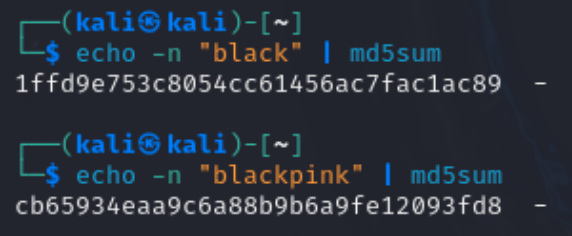
- Input: "black" → Output: 1ffd9e753c8054cc61456ac7fac1ac89
- Input: "blackpink" → Output: cb65934eaa9c6a88b9b6a9fe12093fd8
If we take the word black, which consists of 5 characters, and process it using the MD5 hashing algorithm, the result is 1ffd9e753c8054cc61456ac7fac1ac89. This output is always a standard 32-character MD5 hash, regardless of the input's length.
Why Do We Use Hashes?
Hashes are an essential part of internet security. For example, when you log into a website:
- Your password is hashed and stored in the database.
- When you try to log in, the server hashes your input and compares it to the stored hash. If they match, you’re authenticated.
Hashes ensure that passwords aren’t stored in plaintext, adding a layer of protection against breaches.
Cracking Hashes with John the Ripper
Despite being irreversible, hashes can still be cracked using techniques like dictionary attacks. If we know the hash and the algorithm used, we can hash large lists of possible passwords and compare them to the target hash.
This is where John the Ripper shines — it automates and speeds up this process.
Setting Up John the Ripper
To get started, you’ll need:
Step 1 - John the Ripper:
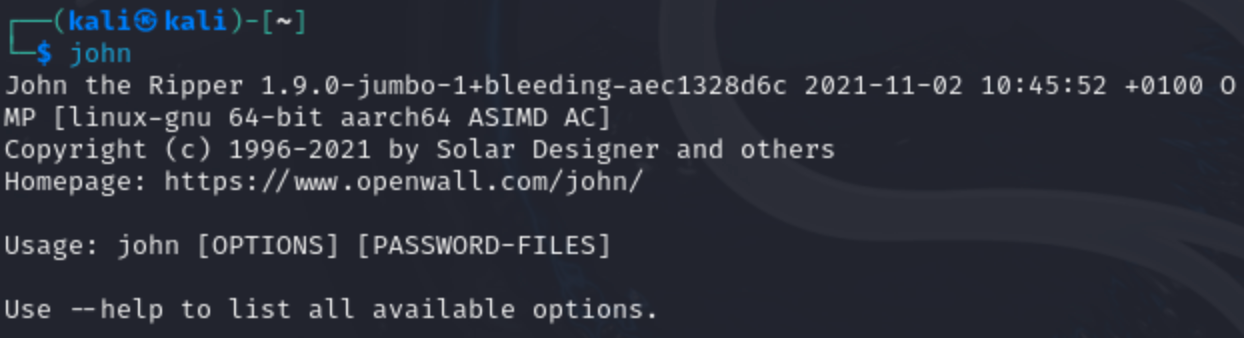
Install the "Jumbo John" version, which supports hundreds of hash types. Most Linux distros like Kali come with it pre-installed. Verify by typing john in the terminal. If not, follow this guide.
Step 2 - A wordlist:
John requires a dictionary of potential passwords. There are numerous wordlists available online, and one excellent resource is the SecLists repository, which contains a wide range of collections (SecLists GitHub).
For this blog, we will utilize the well-known rockyou.txt wordlist, a widely-used password list that originated from a data breach on the website rockyou.com in 2009. It is included in Kali Linux at /usr/share/wordlists.

If it’s compressed (rockyou.txt.gz), decompress it with gunzip.

Cracking a Hash with John
Let’s crack a hash using John. Imagine you have a hash (e.g., from a website breach) and want to find the plaintext password.
The basic command syntax:
john [options] [file path]
John can often detect the hash type automatically. For example:
john --wordlist=[path to wordlist] [path to file]
The John command doesn't work for the hash value in hash1.txt because it can't automatically detect and load the hashes.
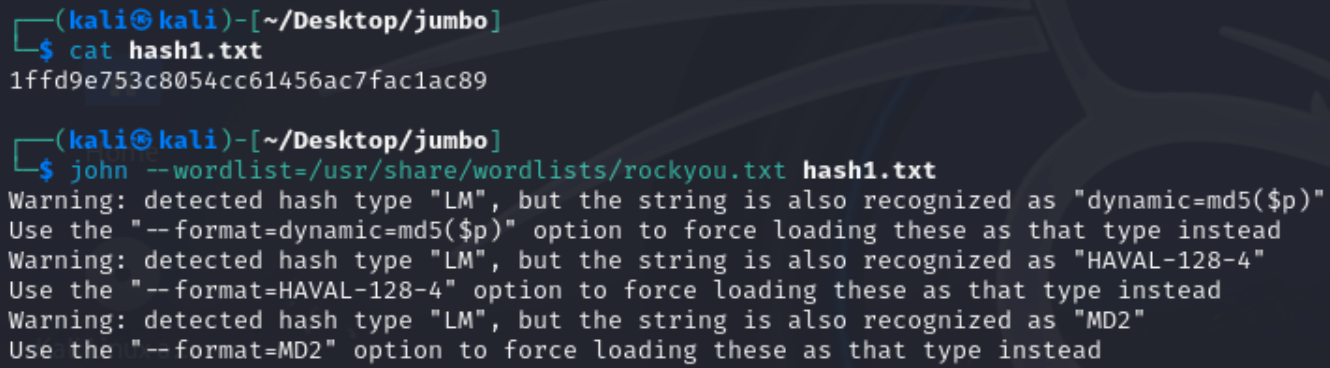
If John doesn’t recognize the hash, use tools like hash-identifier to determine the hash type (e.g., MD5, SHA1).
In our example, it suggests that the hash is likely MD5. If this initial guess is incorrect, we can explore alternative options such as SHA1 or MD4.
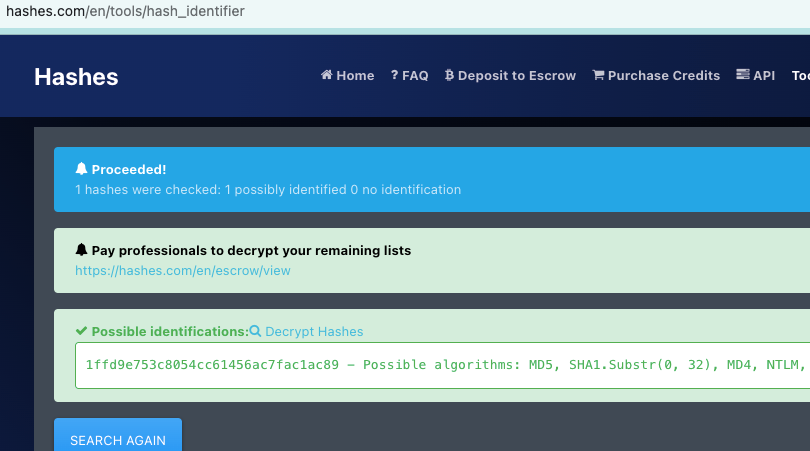
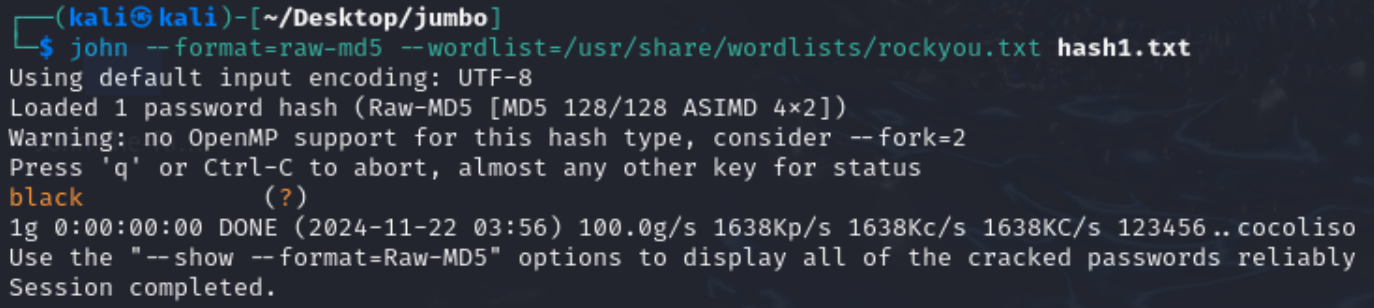
After identifying the hash type, we can instruct John to use the appropriate format to crack the hash with the following command:
john --format=[format] --wordlist=[path to wordlist] [path to file]
To view all formats supported by John related to MD5, you can use the command:
john --list=formats | grep -iF "md5"
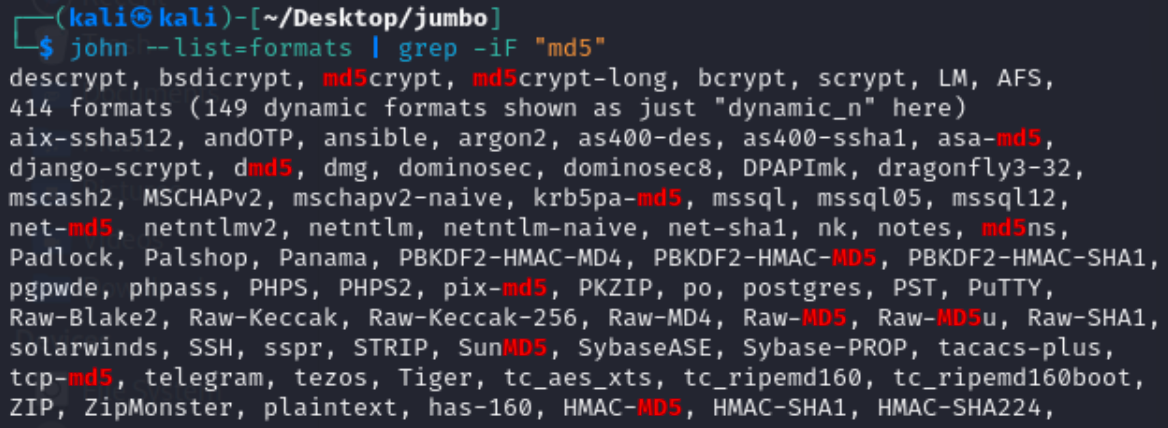
In our case, we select the format "Raw-MD5" and successfully retrieve the plaintext password, which is black.
Cracking Password-Protected ZIP Files
John can also crack passwords for ZIP files. Here’s how:
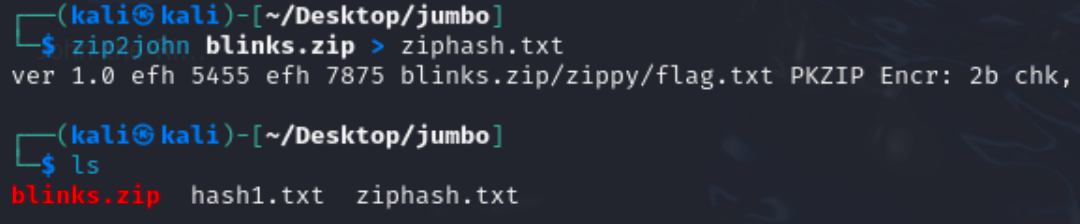
Step 1 - Convert the ZIP file into a hash format that John understands using the zip2john tool:
zip2john [options] [zip file] > [output file]
Step 2 - Use John to crack the password:
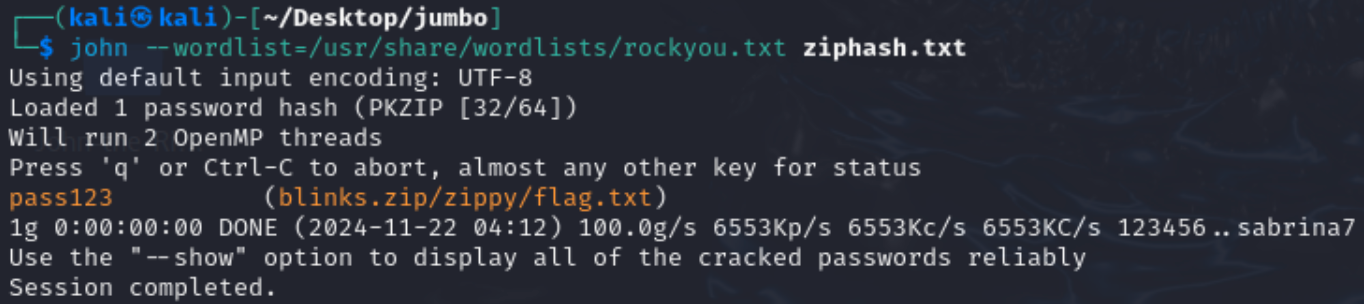
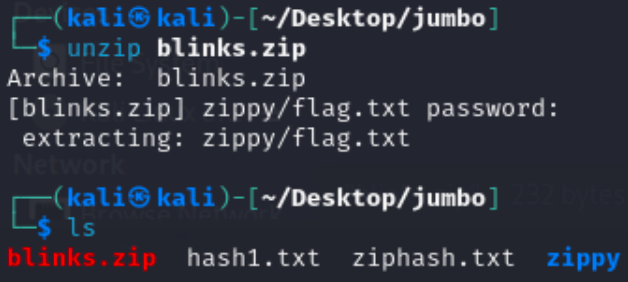
If successful, you’ll find the password to unlock the ZIP file, which contains the file flag.txt.
Conclusion
We’ve only scratched the surface of what John the Ripper can do. From cracking simple hashes to recovering encrypted files, it’s a powerful tool for password auditing. Remember to use it responsibly—always with proper authorization.