Ever Wondered What’s Behind a Phishing Email?
Security analysts don’t click on links blindly during their investigations. They use specialized tools that help safely analyse the email and understand its threats.

We’ve all encountered phishing emails at some point. Phishing is when fraudulent emails are sent, claiming to be from trusted sources, to trick individuals into sharing sensitive information. No matter what, these emails somehow find their way into our inboxes.
Hackers use a variety of tactics to make these emails appear legitimate. The more convincing the email, the higher the chance the recipient will click on a malicious link or download an infected file.
Common phishing tactics include:
- Spoofed email addresses
- URL shortening services
- HTML impersonation of well-known brands
- Pixel tracking
- Manipulated links
- Creating a false sense of urgency
- Credential harvesting
- Poor grammar or typos
- Suspicious attachments
- Recipients hidden via BCC
A phishing email has the potential to cause significant damage to your computer. That’s why it’s crucial to avoid interacting with it — simply delete it. Depending on your company’s security policies, you might also need to report it to your IT department for further investigation.
But have you ever wondered what happens if you actually click on a phishing link? Are you curious but too afraid of the unknown consequences?
Don’t worry — security analysts don’t click on links blindly during their investigations. They use specialized tools that help safely analyse the email and understand its threats.
A word of caution
For IT beginners:
If you're not well-versed in IT, it's best not to attempt analyzing phishing emails yourself. One wrong click, and your device could be compromised beyond repair.
For IT pros:
If you're confident in your IT skills, proceed carefully when interacting with suspicious IP addresses, domains, attachments, or links.
The Famous UPS Phishing Email
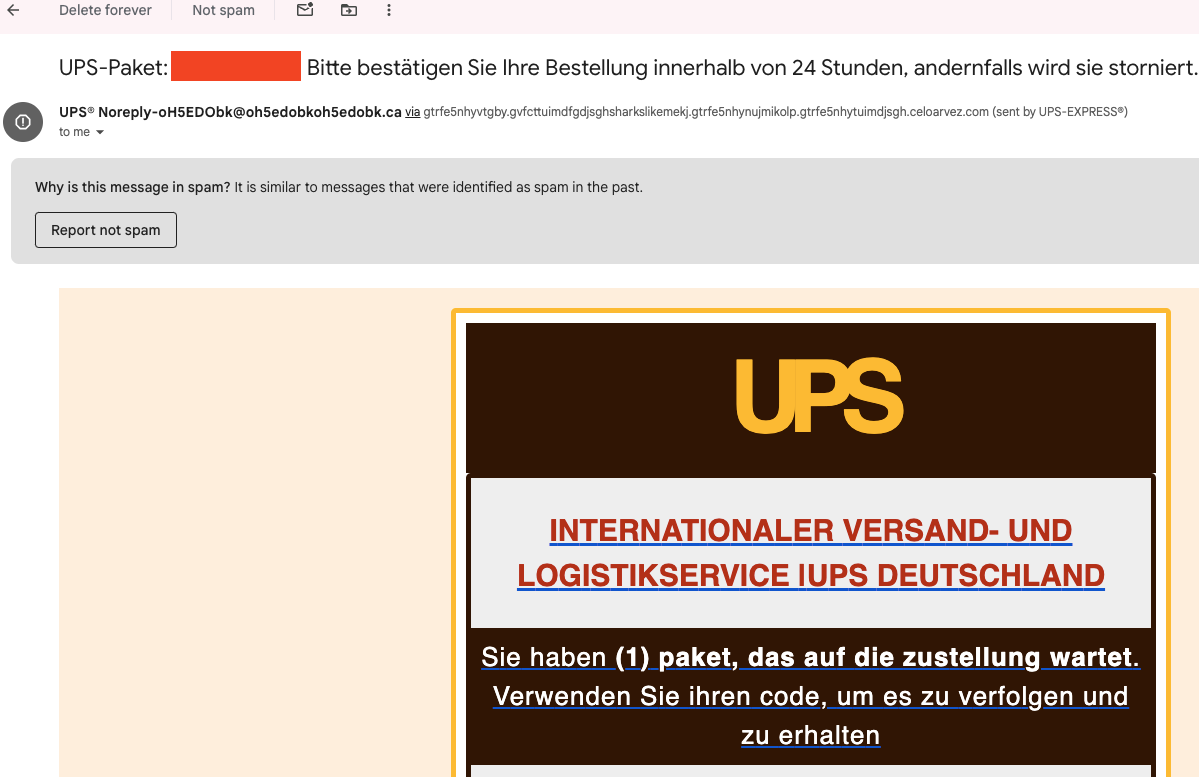
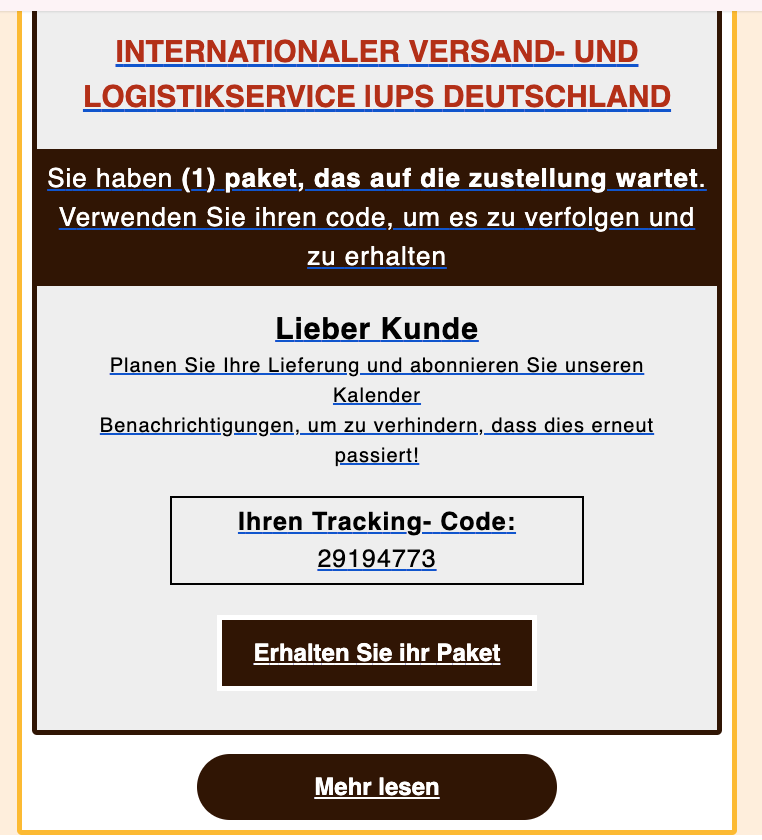
Let’s analyze an example of a well-known phishing attempt — an email pretending to be from UPS, received in my Gmail account.
To gather as much information as possible, we start by switching to the email’s raw message (source code).
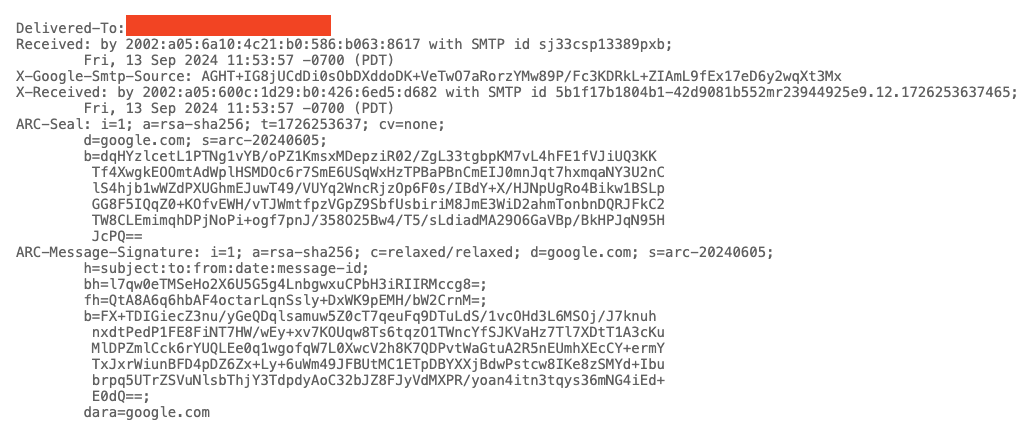
Analyzing the Email Header
Key details to look for in the header include:
- Sender's email address
- Sender's IP address
- Reverse DNS lookup of the sender's IP
- Email subject line
- Recipient’s email (sometimes hidden in CC/BCC)
- Reply-to address (if present)
- Date/time of the email
You can use tools like the Message Header Analyzer to help break down and analyze these details. Simply copy and paste the entire email header for analysis.
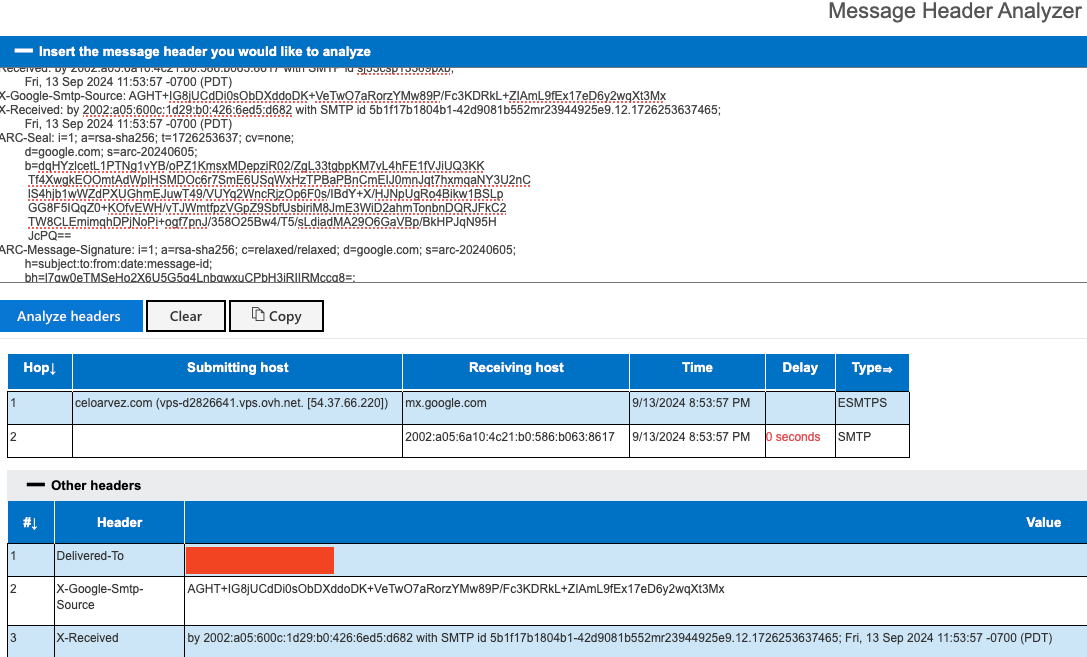
In this example, the email is designed to impersonate UPS, but the “From” email address is clearly suspicious.

The sender’s domain looks equally suspicious—“celoarvez[.]com”. Always remember to defang the URL with tools like CyberChef for safety.

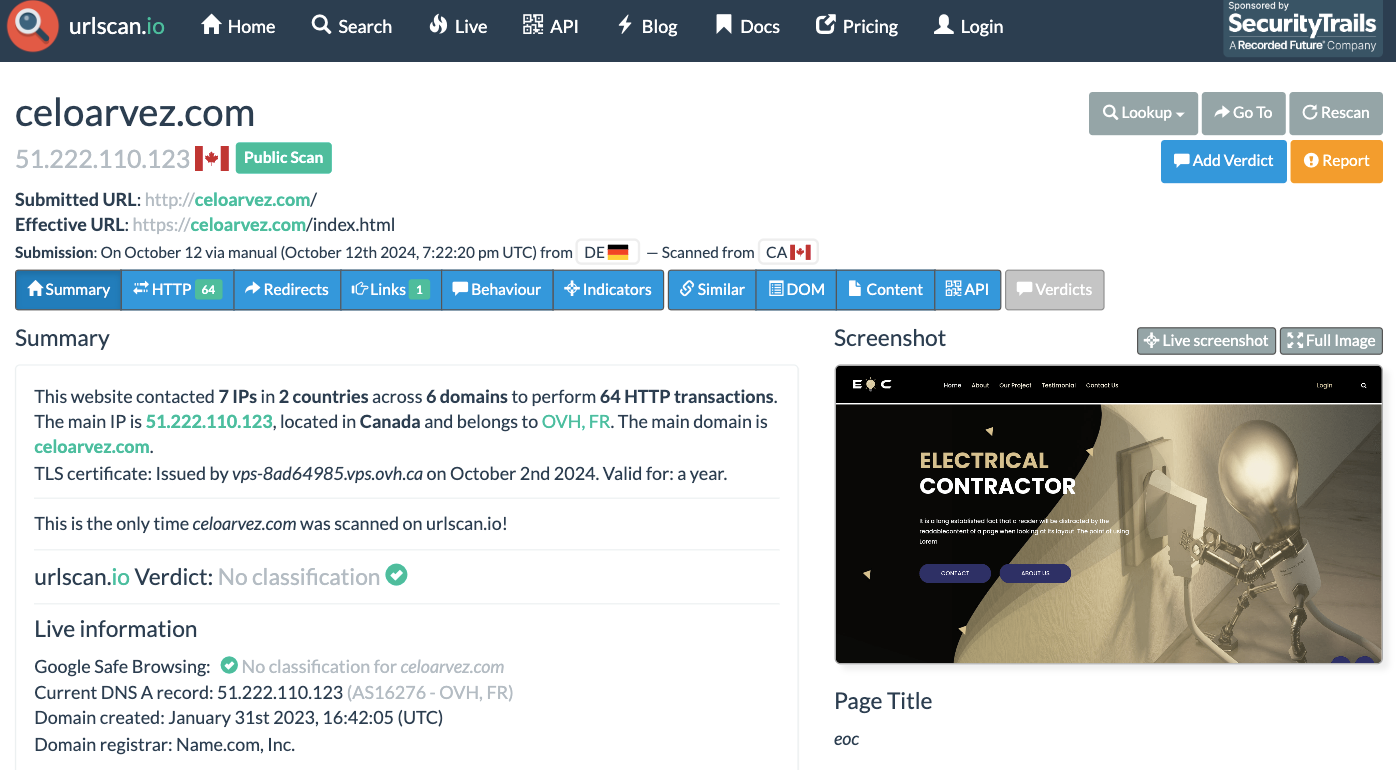
A quick check using urlscan.io, a free website analysis tool, shows that this domain belongs to an electrical contractor, completely unrelated to UPS.
Analyzing the Email Body
When analyzing the email body, focus on:
- Any embedded URLs (use tools to reveal shortened or masked links)
- Attachments (if any)
- The hash value of the attachments (preferably SHA256)
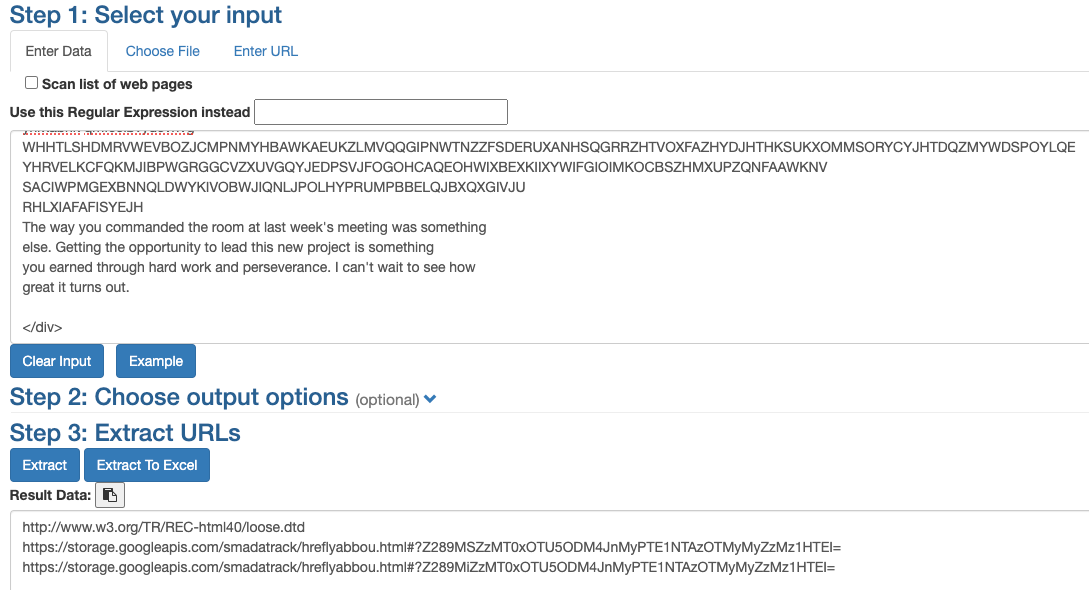
Using tools like the URL Extractor, we can pull out all URLs from the email body. The extracted links here look suspicious.
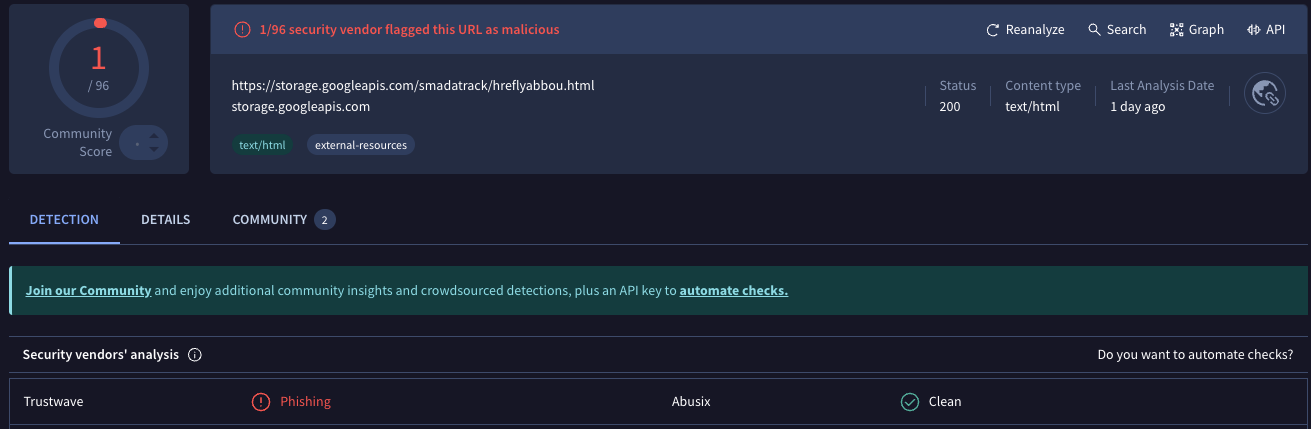
VirusTotal has flagged this link as malicious.
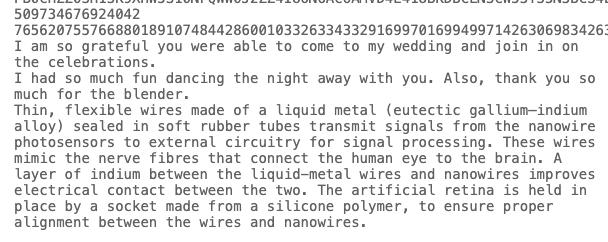
In this particular phishing email, there are no attachments. However, when we examine the raw message, we find hidden text snippets that don’t appear in the HTML version. These snippets, about a wedding, clearly have nothing to do with UPS.
Final Thoughts
There are also more advanced tools for phishing email analysis that streamline the process. One such tool is PhishTool, which combines threat intelligence, OSINT, and email metadata to automate much of the investigation.